In today’s fast-paced business environment, companies deal with large volumes of internal data, processes, and employee queries. Managing this information efficiently is a major challenge for organizations of all sizes.
A company internal chatbot solution is designed to solve this problem by providing employees with instant access to information through a conversational interface. Instead of searching across multiple tools, employees can simply ask questions and receive accurate answers in real time.
As businesses move toward automation and AI-driven workflows, internal chatbots are becoming a key part of digital transformation strategies.
Quick Answer
A company internal chatbot solution is an AI-powered system that helps employees access internal information, automate support tasks, and improve productivity through conversational interactions.
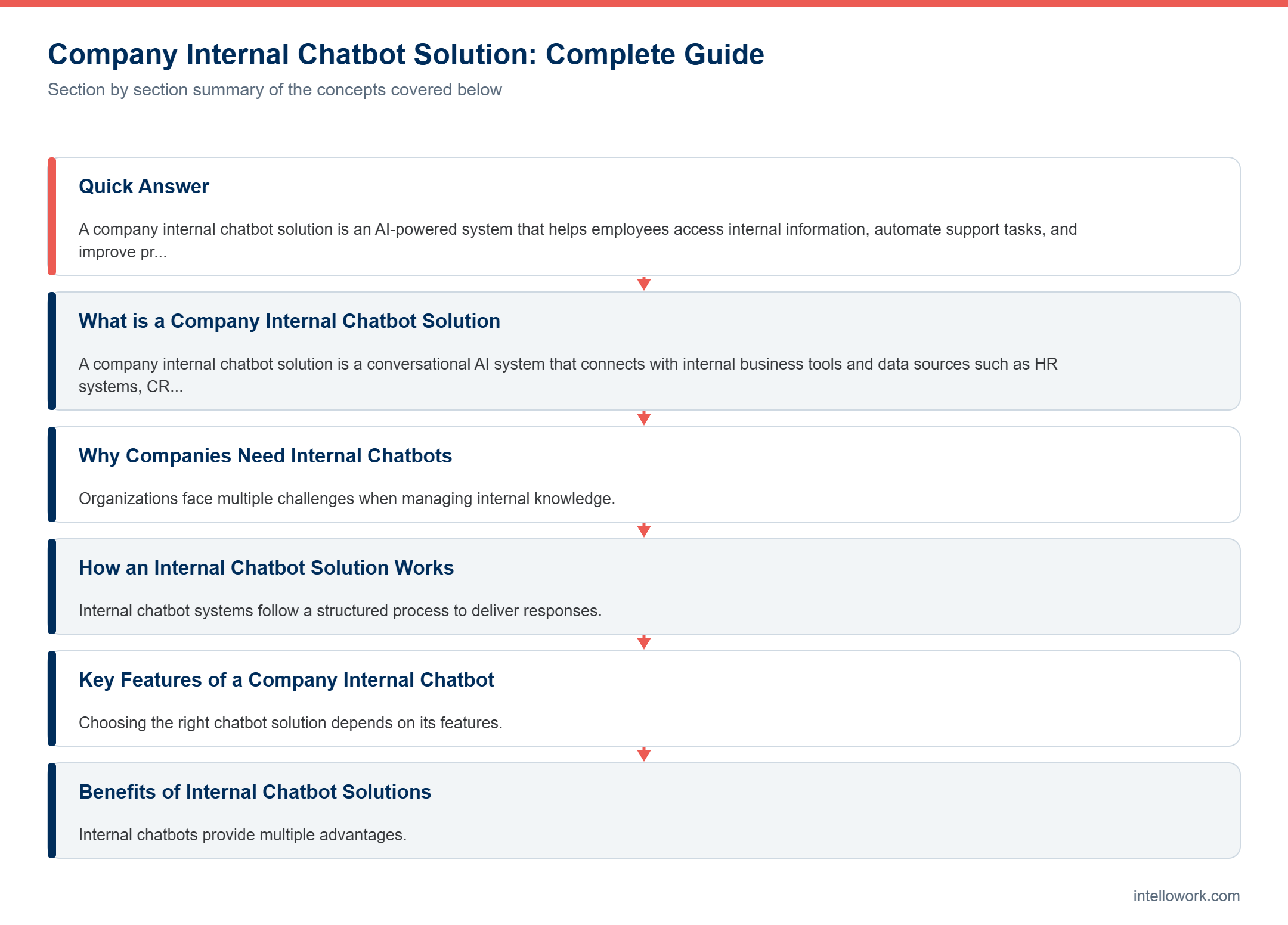
What is a Company Internal Chatbot Solution
A company internal chatbot solution is a conversational AI system that connects with internal business tools and data sources such as HR systems, CRMs, project management tools, and document repositories.
It uses natural language processing to understand employee queries and deliver relevant responses instantly.
Unlike traditional systems, it provides direct answers instead of requiring employees to search manually.
Why Companies Need Internal Chatbots
Organizations face multiple challenges when managing internal knowledge.
Common Problems
Employees spend too much time searching for information
Data is scattered across different platforms
Support teams are overloaded with repetitive queries
Onboarding new employees takes longer
How Chatbots Solve These Problems
Provide instant answers
Centralize access to knowledge
Reduce dependency on support teams
Improve onboarding and training
How an Internal Chatbot Solution Works
Internal chatbot systems follow a structured process to deliver responses.
Step-by-Step Process
Data is collected from internal systems
Information is indexed and organized
User queries are processed using AI
Relevant data is retrieved
The chatbot generates a response
Modern systems also use retrieval-based architectures to ensure accuracy and reduce incorrect answers.
Key Features of a Company Internal Chatbot
Choosing the right chatbot solution depends on its features.
Natural Language Understanding
Understands user queries and context
Integration with Tools
Connects with Slack, Microsoft Teams, CRM, and HR systems
Role-Based Access
Ensures employees only see authorized data
Real-Time Responses
Provides instant answers
Analytics and Reporting
Tracks usage and improves performance
Benefits of Internal Chatbot Solutions
Internal chatbots provide multiple advantages.
Increased Productivity
Employees get answers instantly
Cost Reduction
Less dependency on support teams
Faster Decision Making
Access to accurate information
Improved Employee Experience
Easy and quick access to data
Better Knowledge Management
Centralized and organized information
Real World Use Cases
Internal chatbots are used across various departments.
HR Support
Answer employee questions about policies and benefits
IT Helpdesk
Resolve common technical issues
Sales Support
Provide product and customer information
Operations
Assist with internal processes and workflows
Challenges in Implementation
While internal chatbots offer many benefits, there are some challenges.
Data Quality
Poor data leads to incorrect answers
Integration Complexity
Connecting multiple systems can be difficult
Security Concerns
Sensitive data must be protected
User Adoption
Employees need time to adapt
Best Tools for Internal Chatbot Solutions
Several platforms provide chatbot solutions.
- OpenAI
- Microsoft
- Kore.ai
Businesses can also build custom solutions using AI frameworks and APIs.
How to Build a Company Internal Chatbot
Building a chatbot requires a structured approach.
Steps to Follow
Collect internal data
Clean and organize data
Create embeddings for search
Store data in a vector database
Integrate with an AI model
Build a chatbot interface
Deploy and monitor
Best Practices for Success
To get the best results, follow these practices.
Keep data updated
Ensure strong security measures
Monitor performance regularly
Train employees to use the system
Start small and scale gradually
Future of Internal Chatbots
Internal chatbot solutions are evolving rapidly.
AI agents will automate complex workflows
Voice-based chatbots will increase
Personalized responses will improve user experience
Integration with enterprise systems will become deeper
These advancements will make chatbots central to business operations.
Conclusion
A company internal chatbot solution is a powerful tool for improving productivity and efficiency in modern organizations.
By providing instant access to information and automating repetitive tasks, it helps businesses save time and reduce costs.
As AI technology continues to grow, internal chatbots will become essential for companies looking to stay competitive.
FAQ
What is a company internal chatbot solution
It is an AI system that helps employees access internal information
How does it improve productivity
By providing instant answers and reducing search time
Is it secure
Yes, with proper access control
Can it integrate with existing tools
Yes, most solutions support integration
Is it expensive
Cost depends on features and scale
Choosing between an internal chatbot and a search tool
These two options look similar on a slide, yet they suit different problems. So it is worth being precise about which one you actually need.
A search tool returns documents and lets people read. That suits research tasks, where the reader wants context and will judge relevance themselves. Meanwhile a chatbot returns an answer, which suits repetitive questions with a single correct response, such as leave entitlement or an expense limit.
Most organisations eventually want both, and the good news is that they share the same foundation. Once your content is ingested, chunked and permission mapped, serving it as search results or as cited answers becomes a presentation choice rather than a separate project.
Therefore the sequencing question matters more than the product question. Start with whichever mode removes the most repetitive work, then add the other once the corpus is trustworthy.
Making adoption stick
Technical quality gets a pilot approved. Habit decides whether the tool survives its first year.
- Meet people where they work. An assistant inside Slack or Microsoft Teams gets used. One behind a separate login often does not.
- Answer the top twenty questions perfectly. Reliability on common questions builds more trust than breadth on rare ones.
- Show citations. People trust an answer they can verify, and citations turn scepticism into a two-second check.
- Make feedback one click. Thumbs on answers give you a running quality signal and a queue of content to fix.
- Publish what changed. When users see their feedback produce improvements, they keep reporting problems.
Above all, appoint someone to own the knowledge base. Without an owner, accuracy decays quietly over two quarters and adoption follows it down.
Frequently asked questions
Where should an internal chatbot live?
Inside the tools people already use, usually Slack or Microsoft Teams, with a web interface as a secondary option. Adoption drops sharply when it requires a separate destination.
How do we handle confidential content?
Map source permissions onto retrieval so each person only ever influences answers with content they could open themselves. Apply that filter before generation, not after.
What should it do when it does not know?
Say so and offer a route to a person. A clean refusal costs far less trust than a confident guess.
How do we measure success?
Track resolution rate, repeat question volume and citation click-through. Usage alone tells you little about whether people got useful answers.
How long until it is useful?
A focused deployment on one department corpus commonly reaches useful quality in two to four weeks, with content cleanup taking most of that time.
Related reading
- Enterprise Knowledge Chatbot India: Complete Guide
- AI Chatbot for Employees Knowledge Base: Complete Guide
- How RAG Turns Your Company Data into a Private GPT (Complete Guide for Businesses)
Want to see this working on your documentation rather than a demo corpus? Intellowork handles ingestion, permission-aware retrieval, citations and multi-channel delivery from a single workspace.