Businesses today are under constant pressure to improve efficiency, reduce costs, and deliver faster results.
However, many companies still rely on manual workflows that slow down operations and increase errors.
Tasks such as data entry, approvals, customer support, reporting, and document processing consume valuable time.
This is where AI workflow automation for businesses is changing the game.
Artificial Intelligence is helping organizations automate repetitive processes, improve productivity, and streamline operations at scale.
In this article, we will explore how AI workflow automation works, why businesses are adopting it rapidly, and how it can transform modern operations.
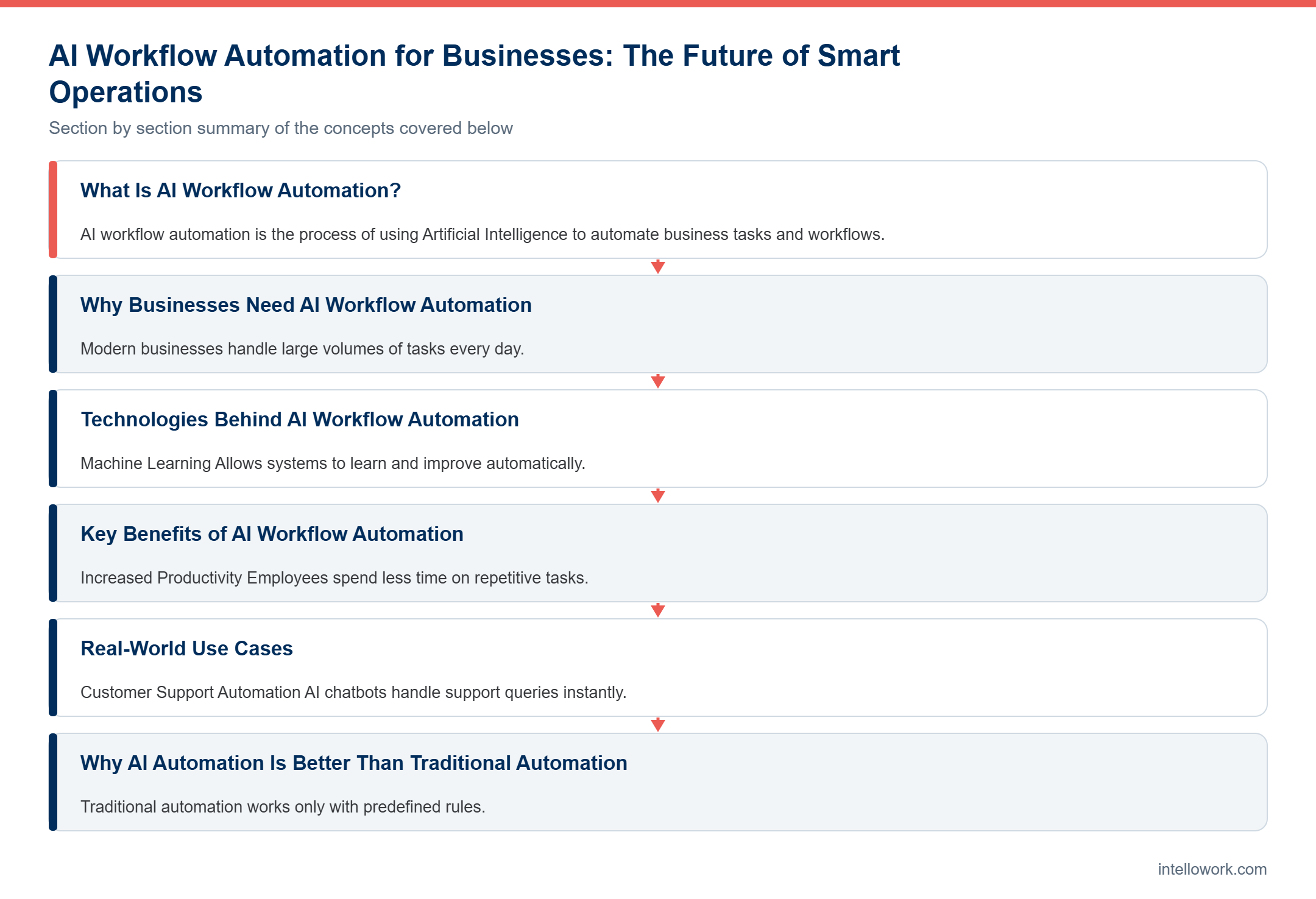
What Is AI Workflow Automation?
AI workflow automation is the process of using Artificial Intelligence to automate business tasks and workflows.
Unlike traditional automation, AI-powered systems can:
- Understand data
- Learn patterns
- Make decisions
- Improve over time
This allows businesses to automate both simple and complex processes.
Why Businesses Need AI Workflow Automation
Modern businesses handle large volumes of tasks every day.
Manual workflows create several problems:
- Slow operations
- Human errors
- High operational costs
- Delayed decision-making
AI automation solves these challenges by creating faster and smarter workflows.
How AI Workflow Automation Works
1. Data Collection
The system gathers data from different business tools such as:
- CRM systems
- Databases
- Emails
- APIs
- Internal software
2. Data Processing
AI analyzes the data and identifies patterns.
3. Workflow Automation
The system automates tasks based on predefined logic and AI insights.
4. Decision Making
AI can make intelligent recommendations or decisions in real time.
5. Continuous Learning
The system improves over time using machine learning.
Technologies Behind AI Workflow Automation
Machine Learning
Allows systems to learn and improve automatically.
Natural Language Processing (NLP)
Helps AI understand human language.
Robotic Process Automation (RPA)
Automates repetitive tasks.
AI Models and LLMs
Generate intelligent responses and insights.
Cloud Infrastructure
Ensures scalability and performance.
Key Benefits of AI Workflow Automation
Increased Productivity
Employees spend less time on repetitive tasks.
Faster Operations
Processes are completed more quickly.
Reduced Costs
Automation lowers operational expenses.
Improved Accuracy
AI reduces human errors.
Better Decision Making
AI provides data-driven insights in real time.
Real-World Use Cases
Customer Support Automation
AI chatbots handle support queries instantly.
HR Workflow Automation
Automate onboarding, leave management, and employee queries.
Finance and Accounting
Process invoices and generate reports automatically.
Sales and Marketing
Automate lead generation and customer engagement.
IT Operations
Manage tickets, monitoring, and internal workflows.
Why AI Automation Is Better Than Traditional Automation
Traditional automation works only with predefined rules.
AI automation can:
- Understand context
- Handle unstructured data
- Adapt to changes
- Learn from interactions
This makes AI workflows far more powerful and flexible.
Challenges in AI Workflow Automation
Integration Complexity
Connecting multiple systems can be difficult.
Data Quality Issues
Poor data affects automation performance.
Security and Compliance
Sensitive business data must be protected.
Infrastructure Requirements
Scalable systems are needed for enterprise use.
Best Practices for Successful AI Workflow Automation
Start with repetitive and time-consuming tasks.
Use clean and structured data.
Implement AI guardrails.
Ensure role-based access control.
Continuously monitor workflow performance.
Industry Insights and Trends
Experts believe AI workflow automation is becoming essential for modern businesses.
Organizations using AI automation report:
- Higher efficiency
- Faster workflows
- Better employee productivity
Businesses are rapidly shifting toward intelligent automation systems.
The Future of AI Workflow Automation
AI workflow automation will continue to evolve rapidly.
Future systems will:
- Make autonomous decisions
- Predict workflow outcomes
- Automate entire business operations
Businesses that adopt AI automation early will gain a significant competitive advantage.
Why Businesses Are Investing in AI Automation
Companies realize that manual operations are no longer scalable.
AI automation helps businesses:
- Save time
- Improve efficiency
- Reduce operational costs
- Scale operations faster
This makes AI workflow automation a critical business investment.
Conclusion
AI workflow automation for businesses is transforming how companies operate.
It improves productivity, reduces costs, and enables smarter decision-making.
Organizations that adopt AI-powered workflows today will build faster, smarter, and more scalable businesses for the future.
The future of business operations is automated and AI-driven.
Frequently Asked Questions (FAQ)
What is AI workflow automation?
It is the use of AI technologies to automate business processes and workflows.
How does AI workflow automation work?
It collects data, processes information, and automates tasks using AI models.
What are the benefits of AI workflow automation?
Improved productivity, reduced costs, and faster workflows.
Is AI workflow automation secure?
Yes, with proper security controls and AI guardrails.
Which businesses can use AI workflow automation?
Businesses of all sizes and industries can benefit from it.
What AI workflow automation looks like in practice
Reading a feature list is easy. Running the first automation is where the real lessons appear, so it helps to know what the first ninety days usually involve.
Most teams begin with one process rather than a platform rollout. They pick something high volume and low judgement, such as routing incoming requests or extracting fields from invoices. Consequently the pilot delivers a measurable result quickly, and the organisation learns how the technology behaves before anything critical depends on it.
Then the awkward part arrives. Real data is messier than the sample, exceptions appear that nobody documented, and someone has to decide what the system does when it is unsure. Therefore build the exception path before you build the happy path. A workflow that escalates cleanly earns trust far faster than one that guesses.
After the first process settles, expansion becomes straightforward. You already have the integration pattern, the monitoring and the review habit, so the second and third workflows take a fraction of the effort. Meanwhile the business case gets easier to make, because you now have your own numbers rather than a vendor estimate.
Mistakes that stall automation projects
Certain errors show up repeatedly. Each one is avoidable when raised early.
- Automating a broken process. Speeding up a process nobody has questioned simply produces bad outcomes faster. Fix the process first, then automate it.
- Skipping the exception design. Roughly one in five cases will fall outside the rules. Decide what happens to those before launch, not afterwards.
- No owner after go-live. Automations drift as forms, systems and policies change. Someone must own the review cycle.
- Measuring activity instead of outcome. Tasks completed is not a business result. Track cycle time, error rate and cost per case instead.
- Ignoring the people affected. Teams adopt automation they helped design and quietly work around automation imposed on them.
Above all, resist the urge to start with the hardest process. The point of the first project is to build capability and confidence, not to prove heroism.
Frequently asked questions
How long does a first automation take to deliver?
A focused first workflow commonly reaches production in four to eight weeks. Most of that time goes into data access, exception handling and approvals rather than the automation logic itself.
Do we need machine learning for every workflow?
No. Many valuable workflows are rules based with a small amount of language understanding for classification or extraction. Reach for heavier methods only when simple rules genuinely fail.
What is the difference from traditional automation?
Traditional automation follows fixed rules on structured input. AI workflow automation also handles unstructured input such as documents, emails and chat, and it can classify, extract and summarise before the rules run.
How do we keep automated decisions auditable?
Log the input, the model output, the rule applied and the person who reviewed exceptions. Auditors ask for that trail, and it also makes debugging far easier.
Where should a business start?
Pick a process with high volume, clear rules and low consequence for error. Then measure cycle time before and after, so the second project has evidence behind it.
Related reading
- Enterprise Search Chatbot for Companies: The Future of Intelligent Business Communication
- How RAG Turns Your Company Data into a Private GPT (Complete Guide for Businesses)
- Intellowork Search Chatbot: The Smart Enterprise AI Assistant for Modern Businesses
Want to see this working on your documentation rather than a demo corpus? Intellowork handles ingestion, permission-aware retrieval, citations and multi-channel delivery from a single workspace.